The reliable phone workflow is: choose a compatible audio path, verify the external input in the recording app, stabilize the phone, add one repeatable light, run a short sound-and-video test, then protect the cable and microphone during the take.
Blue Yeti remains a computer-first alternative. The direct phone recommendations are EarPods for lo-fi or a supported USB-C mobile microphone for cleaner stereo.
Three phone audio paths
How to record ASMR on a phone step by step
- Choose the phone audio pathUse the built-in phone microphone for the simplest test, matching wired EarPods for intentional lo-fi, or a supported direct USB-C microphone such as the Shure mobile stereo path for greater control.
- Confirm connector and app supportUSB-C, Lightning, and 3.5 mm are separate paths. Connect the microphone, record a short file in the intended app, and verify that the external input—not the phone microphone—was used.
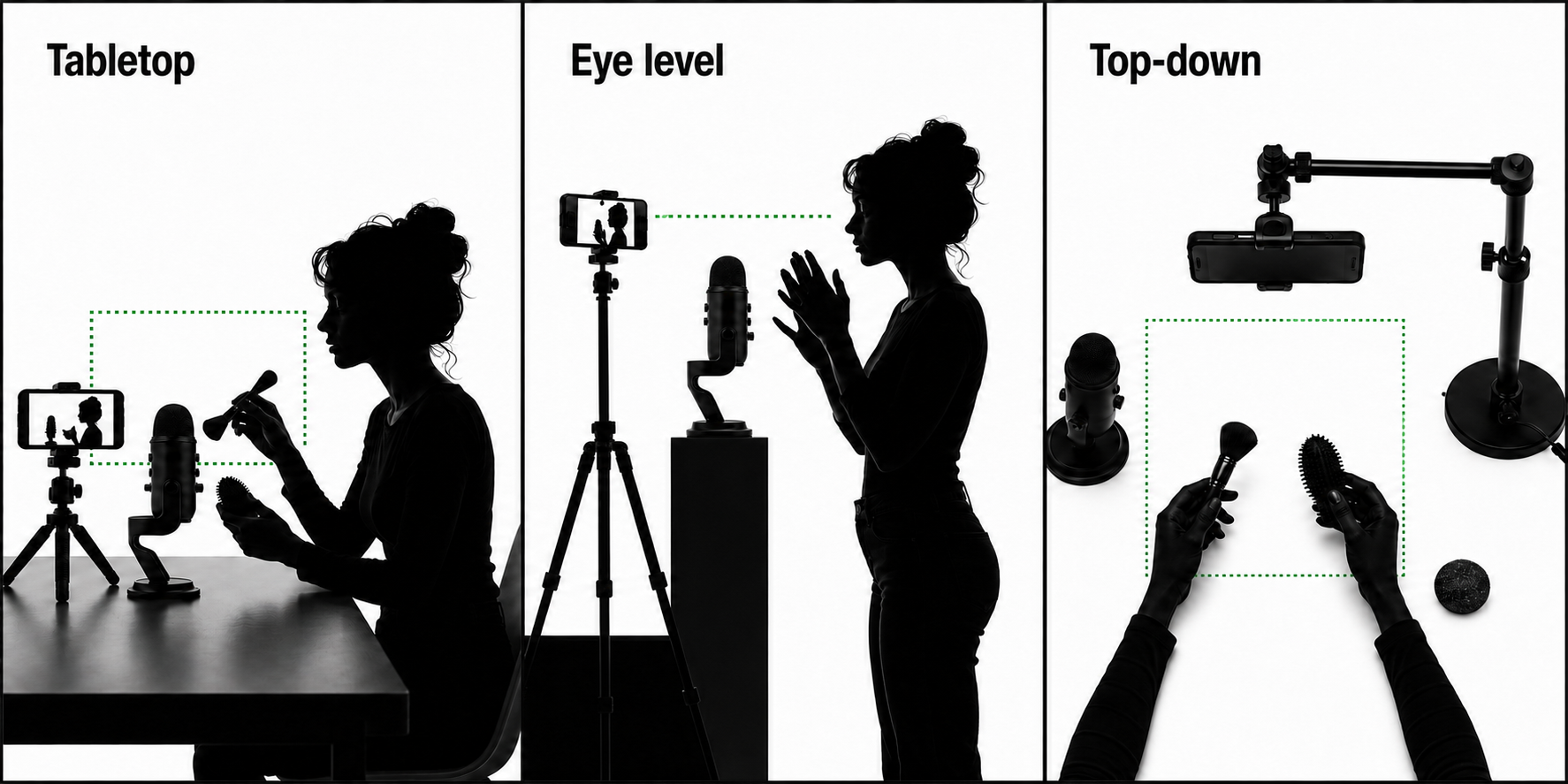
- Stabilize the phoneUse a tabletop tripod for close face and hand work, a full-height tripod for independent placement, or a purpose-built overhead support for top-down triggers.
- Add one repeatable lightUse daylight when it is stable or a ring light for a compact face-first setup. Move to panels when the scene is wider or reflective props require directional control.
- Control the phone before recordingDisable interruptions, secure cables, lock the intended orientation, set exposure and focus as consistently as the app allows, and leave enough storage and battery for the complete take.
- Test the quietest and loudest soundsRecord room tone, a whisper, the loudest prop, cable movement, and left-right motion. Listen through wired earphones and check that the image remains stable and correctly exposed.
- Record with the microphone and cable protectedKeep the inline or external microphone away from clothing, hands, phone vibration, and tripod movement. Leave clean silence at the beginning and end for editing.
- Transfer and back up before editingCopy the original file to a computer or external storage when possible, preserve the untouched source, and edit from a duplicate.
Exact phone support and lighting options
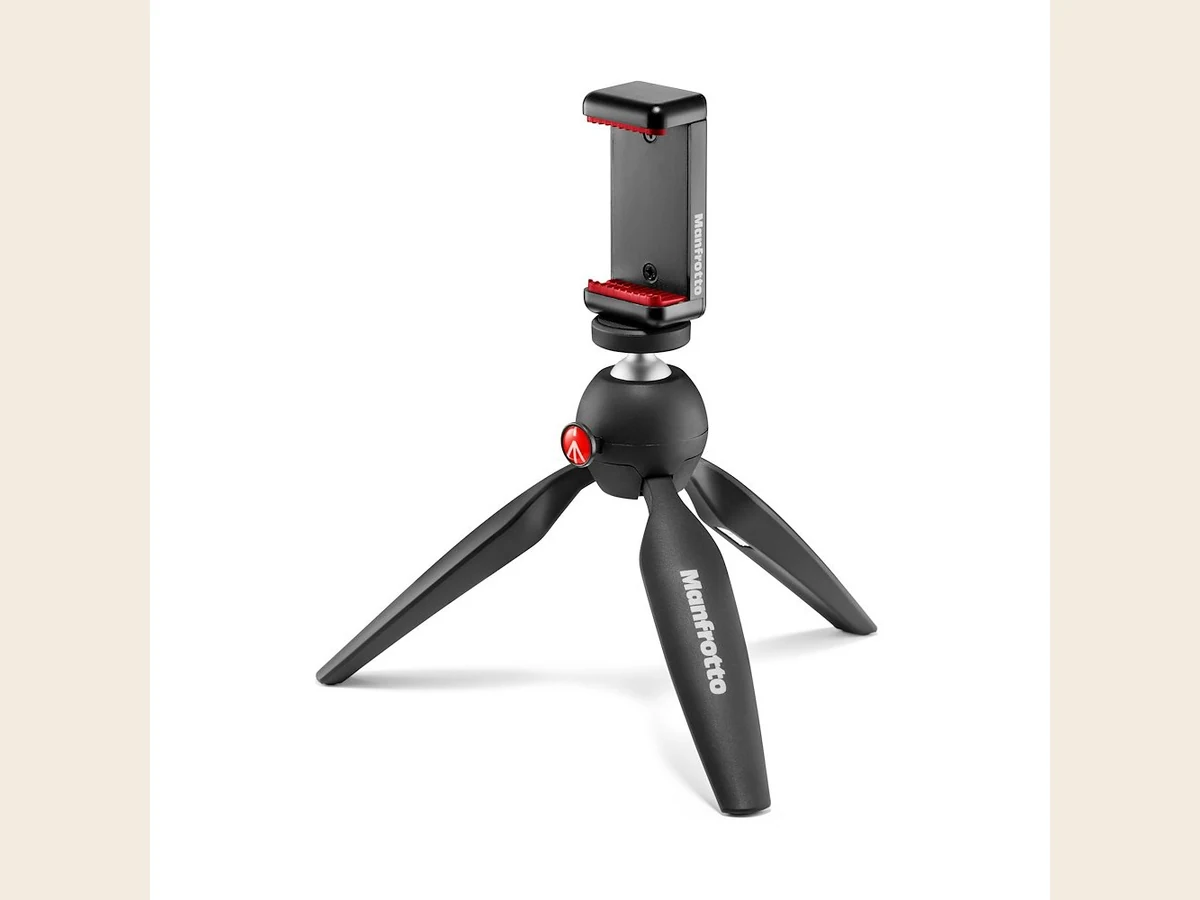
Manfrotto PIXI Mini Tripod with Smartphone Clamp
Best for: Stable tabletop phone framing for close-up hands, lo-fi ASMR, and seated roleplay
A compact mini tripod with a phone clamp and push-button ball head. It replaces improvised stacks of books when the phone needs repeatable horizontal or vertical framing on a desk.
- A compatible phone clamp or camera thread for the device being used.
- A stable surface and a framing height that works for the planned shot.
Open Amazon to confirm the current price, seller, availability, and exact bundle contents. Prefer Amazon.com, the brand storefront, or an authorized dealer.
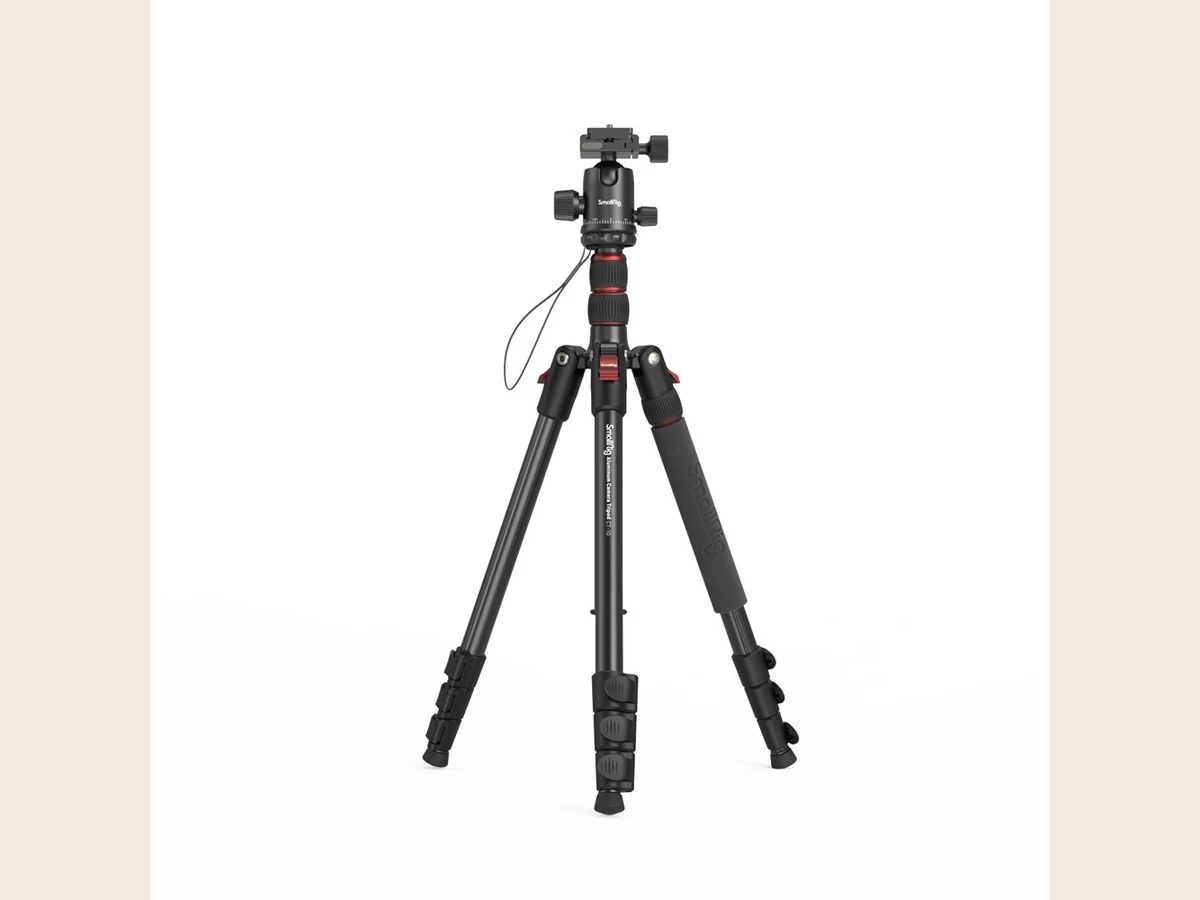
SmallRig CT-10 Aluminum Camera Tripod 3935
Best for: Eye-level roleplay, mirrorless-camera framing, and a stable phone or camera position
A full-height aluminum tripod with an Arca ball head and included phone holder. It supports a standing roleplay frame, a mirrorless camera, or a phone when a tabletop tripod is too low.
- A compatible quick-release plate or phone holder.
- A total camera-and-lens weight below the head and leg load ratings.
Open Amazon to confirm the current price, seller, availability, and exact bundle contents. Prefer Amazon.com, the brand storefront, or an authorized dealer.
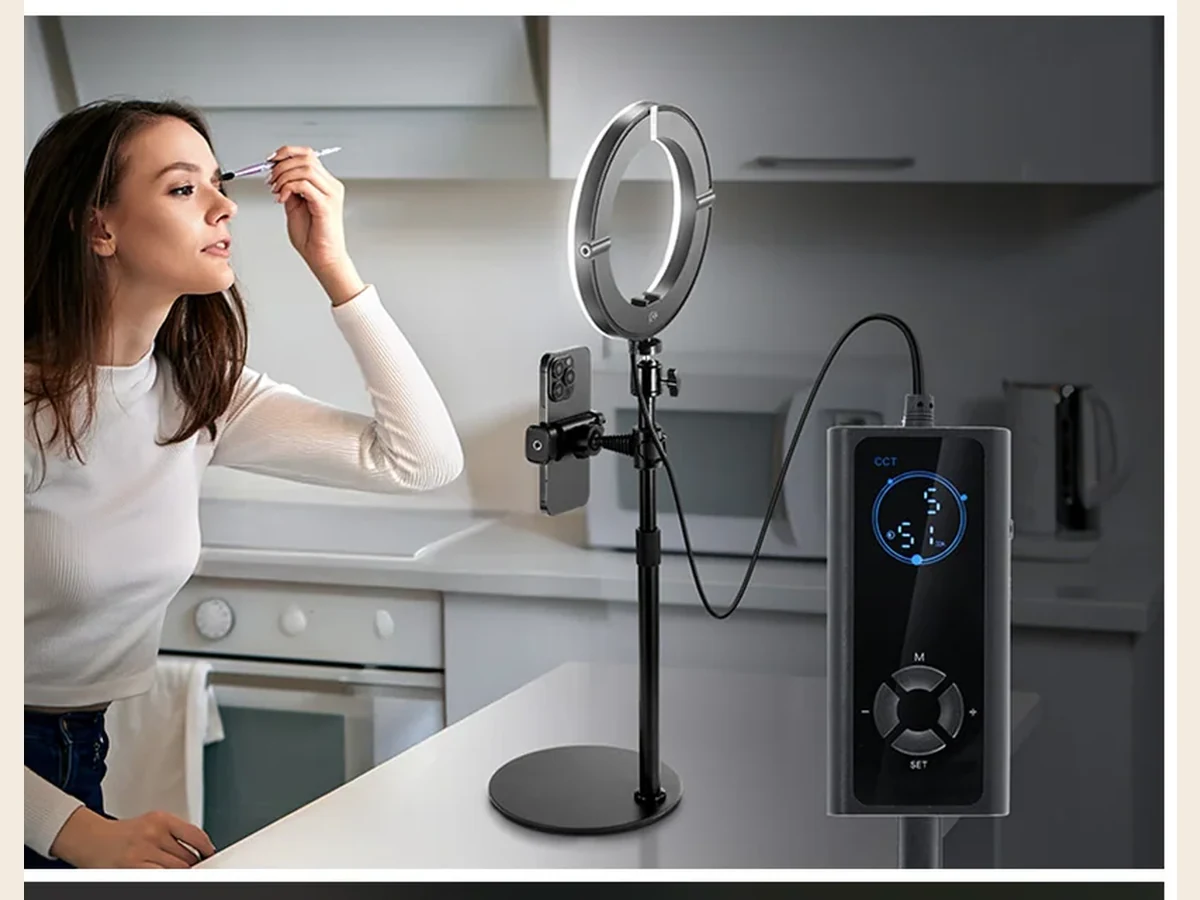
NEEWER RH8B 8-inch Desk Ring Light
Best for: A familiar low-cost face light for phone, desk, lo-fi, and roleplay recording
A compact ring light with a desk stand, phone holder, brightness control, and adjustable warm-to-cool light. It gives beginners the ring-light format they expect without committing to a large floor kit.
- A stable desk position and the included or compatible power supply.
- Enough working distance to avoid circular reflections in eyes, glasses, and shiny props.
Open Amazon to confirm the current price, seller, availability, and exact bundle contents. Prefer Amazon.com, the brand storefront, or an authorized dealer.

Shure MV88 USB-C
Best for: Phone-first ASMR on modern USB-C devices
A compact stereo USB-C microphone designed to plug directly into compatible phones and tablets. It adds controllable gain and stereo capture without the adapter, powered-hub, and app uncertainty of adapting a computer-first USB microphone.
- A supported USB-C phone, tablet, or computer and a compatible recording app.
- Enough connector clearance around the phone case.
- A stable phone tripod or clamp when recording video.
Open Amazon to confirm the current price, seller, availability, and exact bundle contents. Prefer Amazon.com, the brand storefront, or an authorized dealer.
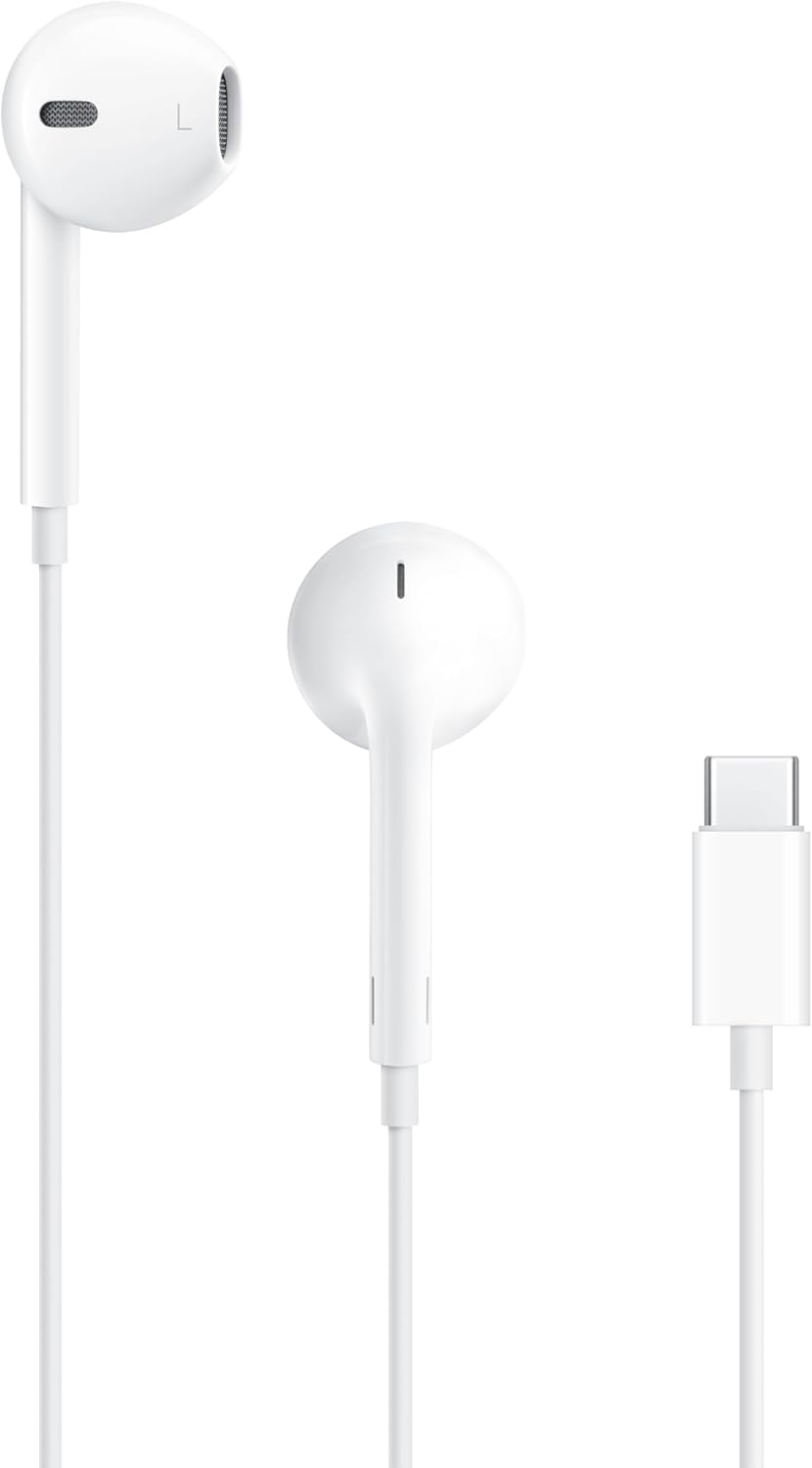
Apple EarPods (USB-C)
Best for: Intentional lo-fi ASMR and low-visibility recording on USB-C phones and tablets
Simple wired EarPods with an inline microphone. Their limited, familiar sound is part of the lo-fi ASMR aesthetic—not merely a temporary beginner compromise—and the small white earbuds stay visually unobtrusive in close-up roleplay.
Open Amazon to confirm the current price, seller, availability, and exact bundle contents. Prefer Amazon.com, the brand storefront, or an authorized dealer.
Phone recording mistakes to avoid
- Buying the wrong EarPods connector
- Assuming a USB adapter guarantees microphone power and app support
- Holding or touching the phone during quiet recording
- Letting the EarPods cable rub clothing
- Balancing the phone on unstable household objects
- Using automatic exposure under changing light without a test
- Recording a long take before checking that the external microphone was actually selected
Frequently asked questions
Can Blue Yeti connect directly to a phone?
Not as a universally supported direct path. It is a computer-first USB microphone. Some USB-C phones or tablets may work through a compatible data adapter and sometimes a powered hub, but power and app support are conditional. Test the exact chain before relying on it.
What is the easiest microphone for phone ASMR?
For intentional lo-fi, use matching wired EarPods. For a cleaner supported USB-C mobile path, use a microphone designed for direct USB-C mobile recording after checking the exact device compatibility.
Do I need a ring light for phone ASMR?
No, but you need repeatable light. A compact ring light is a common low-cost option when daylight changes or the phone image becomes noisy in a dim room.
Should the phone be close to the microphone?
Place the camera for framing and the microphone for sound. An external microphone can often be positioned independently; do not compromise audio distance merely to keep the phone close.